Mac control for iPhone

Your Mac doesn’t stop
when you step away.

Keep work running. Check what’s happening. Take control when you need to—all from the iPhone already in your hand.

Private iCloud syncNo account to createiPhone + Mac
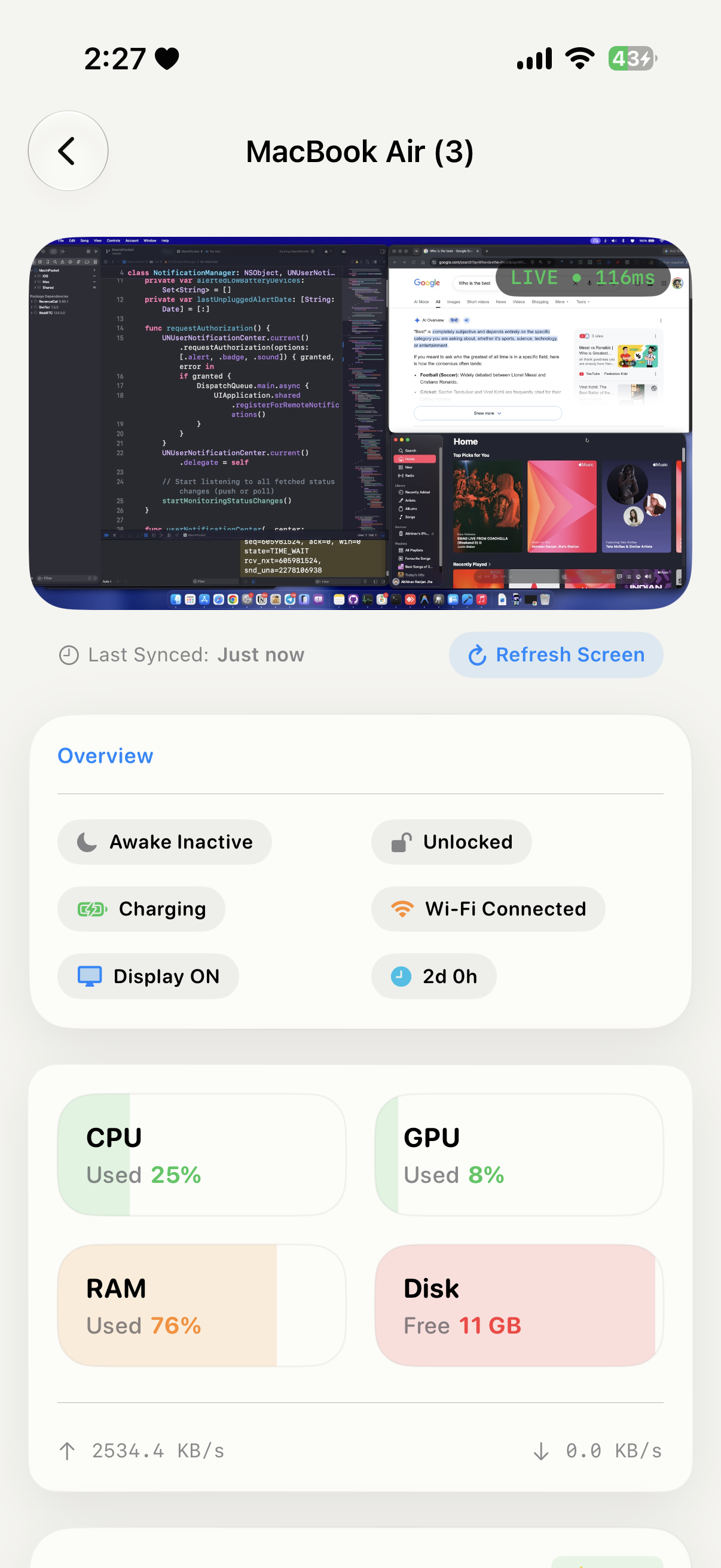
Mac status and performance dashboard
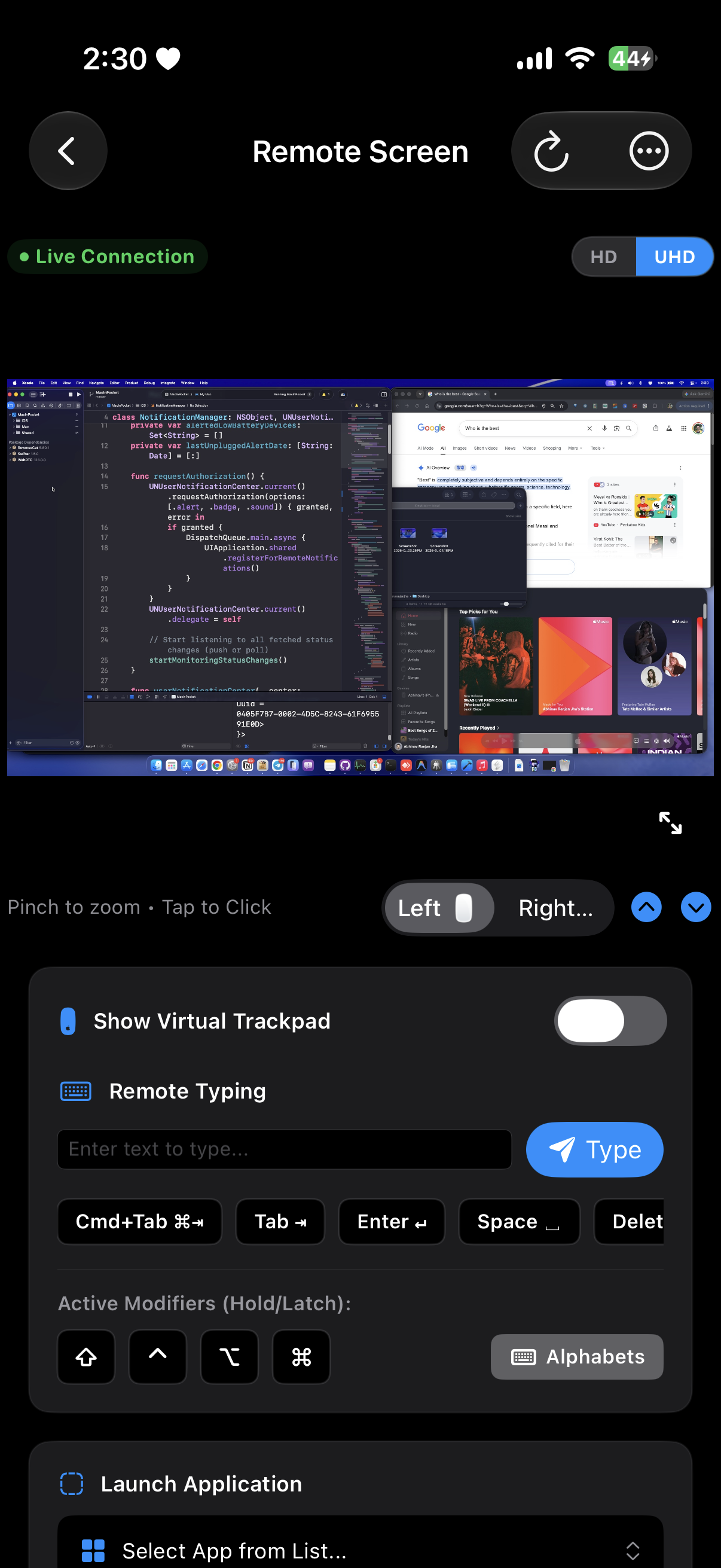
Mac remote control screen
Mac is awakeWork keeps moving
⌾ Private by designYour Apple ID. Your iCloud.
01

Leave without worryYour Mac keeps doing its job.

02

Know what’s happeningStatus and performance at a glance.

03

Step in from anywhereControl it when something needs you.

WHY NOLID

Leave your desk.
Not your Mac.

Built for the moments when your Mac still has work to do—and you don’t want to stay beside it.

01

Keep important work running.

Stop your Mac from sleeping during downloads, exports, builds, backups, or any task that needs more time.

  • Always-on sessions
  • Timers and schedules
  • App-based triggers
  • Battery protection
NoLid
KEEP AWAKEActive

Until 6:00 PM

Mac app preview
02

Handle it without going back.

See your screen, move the cursor, type, open apps, control media, use Terminal, or grab a file from your Mac.

ScreenTrackpadKeyboardTerminalFilesCamera
Remote screen and typing controls
⌘   Command ready
03

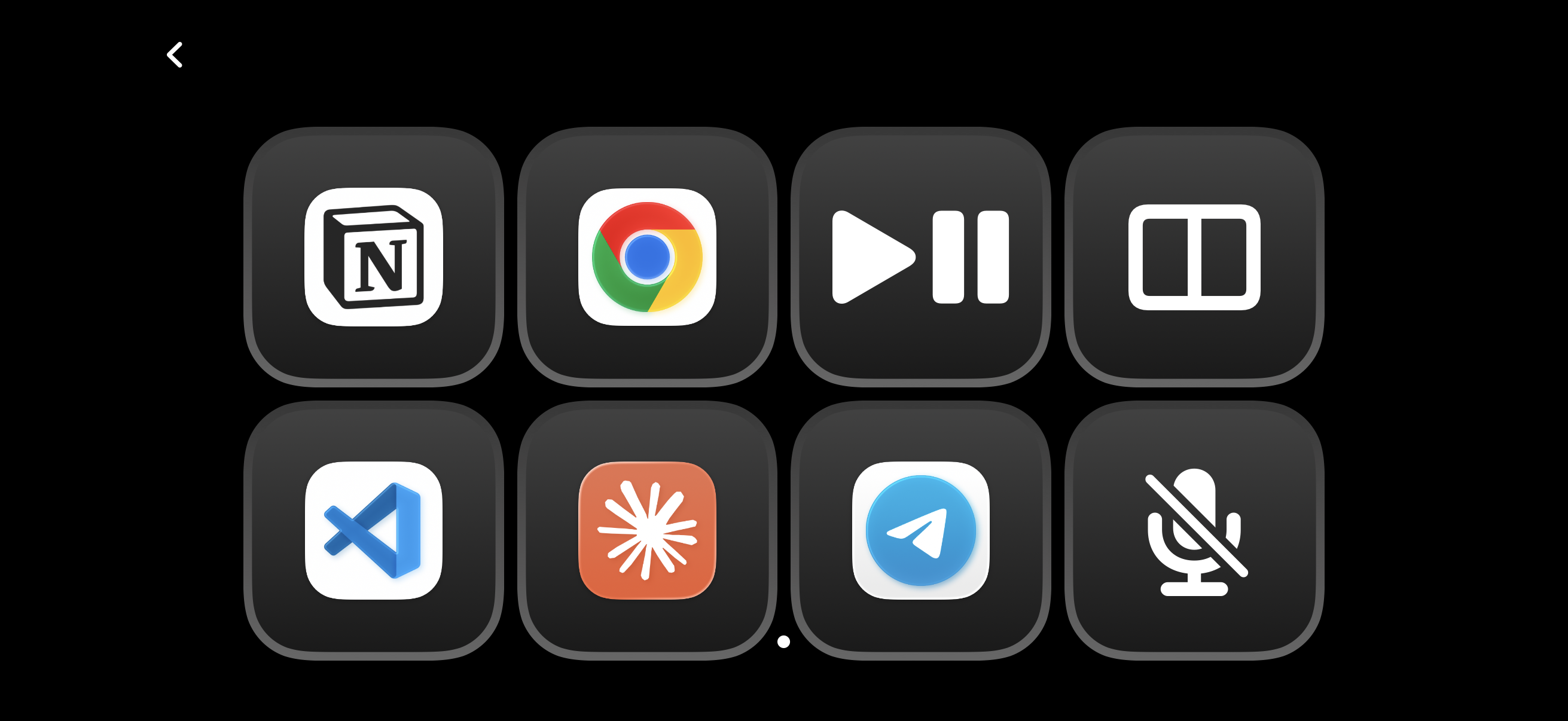
Turn your iPhone into a QuickDeck.

The actions you reach for all day are now one tap away. Launch apps, switch context, and control playback without breaking focus.

QuickDeck with application and media shortcutsTap. Done.

MADE FOR THE MOMENT

When you think
“I wish I could just…”

01

Check if the export finished

See the screen and system status without opening your Mac.

02

Run one quick command

Open a full interactive Terminal from your iPhone.

03

Grab a file you forgot

Browse your home folder and download it directly.

04

Lock or unlock securely

Use Face ID to protect access to your Mac.

05

Pause music from across the room

Playback and volume controls stay close at hand.

06

Keep an eye on every Mac

One clean dashboard for all the Macs you use.

YOUR MAC, AT A GLANCE

Know before
you open the lid.

Battery, display, uptime, CPU, GPU, memory, storage, network activity and running apps—all in one place.

CPUGPUMemoryStorageBatteryUptime
Mac performance overview
MAC STATUSEverything looks goodReady when you are

BUILT FOR PEOPLE WHO LEAVE THINGS RUNNING

Made for work that
doesn’t fit at a desk.

01

Developers

Check builds, keep local servers alive, and handle quick fixes from anywhere.

Xcode · Local servers · AI agents
02

Creators

Let long exports and renders continue while you get on with your day.

Video · 3D · Music · Photography
03

Mac mini owners

Monitor and manage a headless Mac without keeping a display attached.

Home lab · Media server · Automation
04

Remote workers

Stay connected to the Mac that holds your files, apps, and ongoing work.

Travel · Hybrid work · On-call

PRIVATE BY ARCHITECTURE

Your data doesn’t become our business.

NoLid uses your Apple ID and your private iCloud. There is no separate NoLid account, no activity profiling, and no third-party server holding your Mac data.

✓ Your private iCloud✓ Encrypted communication✓ No analytics or telemetry✓ No account to create
Your iPhone
Private connection
Your Mac

Your Apple ID keeps both sides together.

NoLid app icon

YOUR MAC. STILL WITH YOU.

Step away with confidence.

Set up NoLid on your iPhone and Mac, then keep moving.

Download on theApp Store Requires iOS 16+ and macOS 13+